Atlas Get an invite

The number at the bar, adjusted for what you ate.

Atlas is a training and food log for iPhone and Apple Watch that reads itself back to you. It names your next set, weighs it against what you ate, and says one thing about it.

Training

One number at the rack.

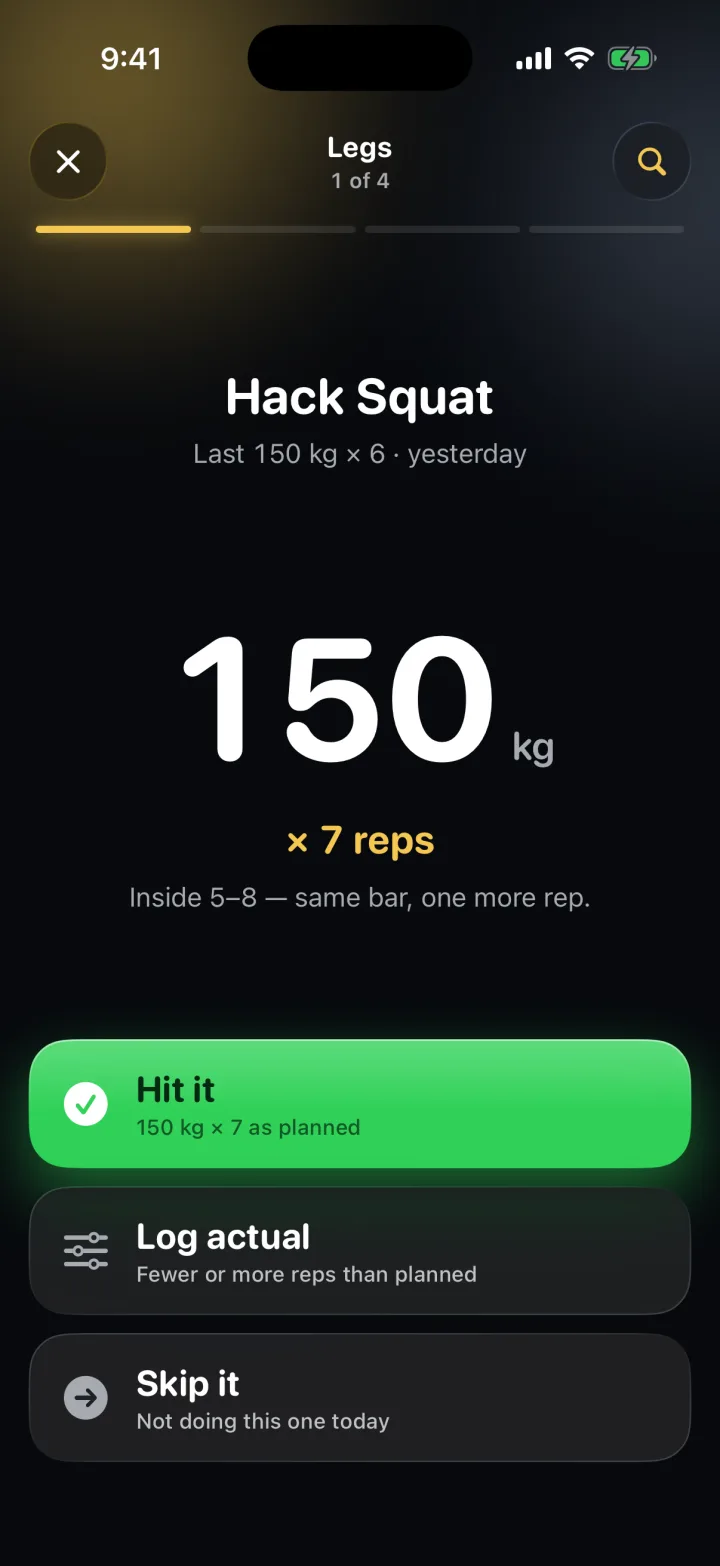
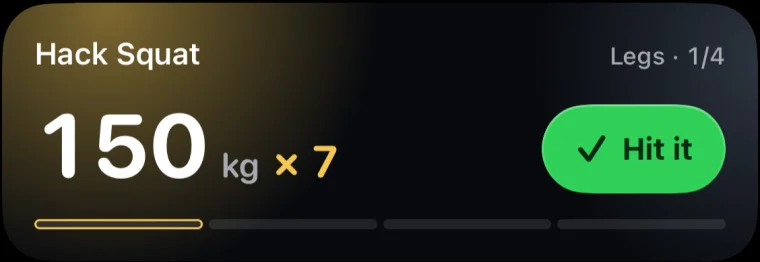
Mid-set you glance, you don’t read. The weight is the biggest thing on the screen, the reps sit under it, the reason is one line.

  1. The number, before you ask. 150 kg × 7, and why.
  2. Hit it. Logged as planned. Or Log actual, or Skip it.
  3. The next set is already named. Top of 5–8 last time: up 5 kg, back to 5s.

Coach

It reads your food and your lifts as one thing.

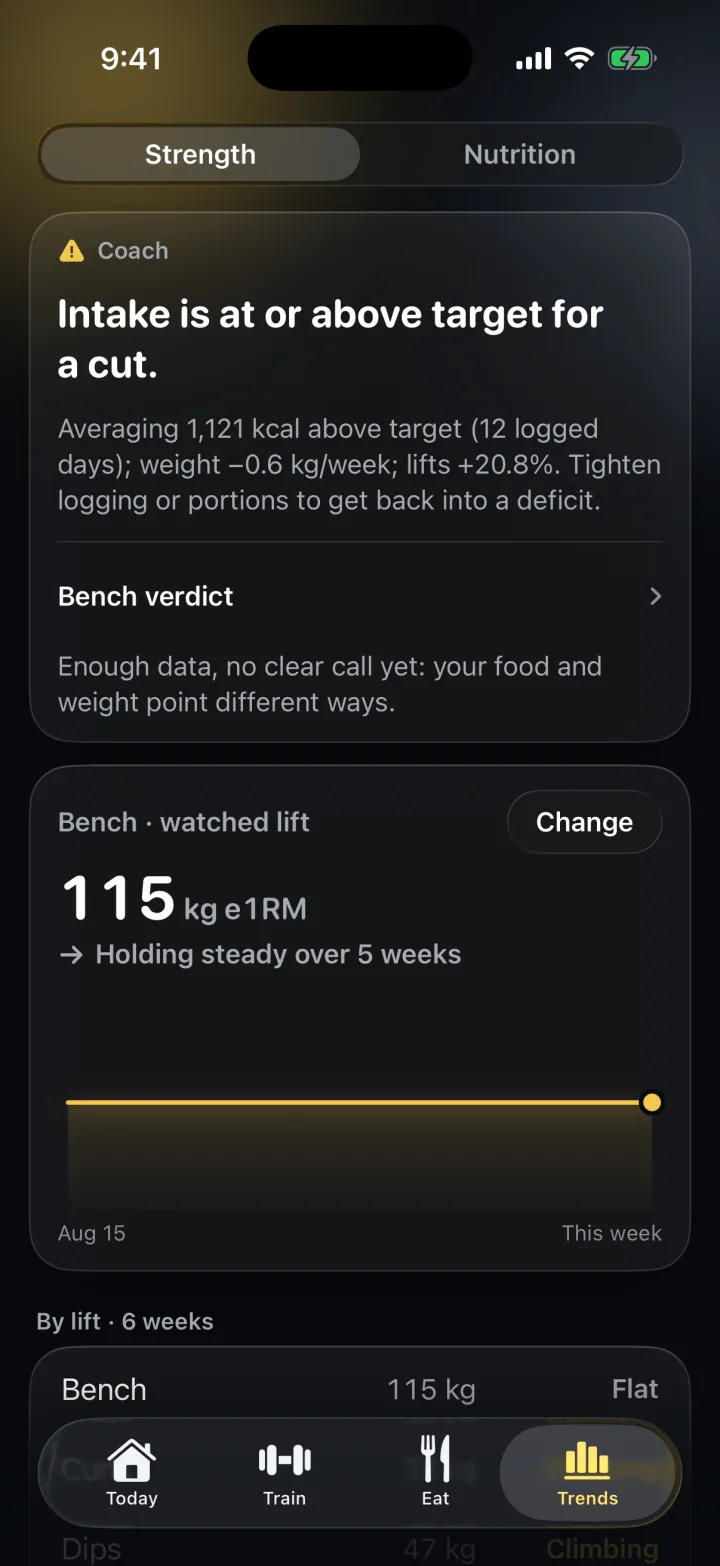
The coach weighs calorie balance, weight change, strength trend and how consistently you log, then says one thing. When a lift stalls, it tells you whether the problem is the program or the plate.

One line under the Peak on Today; tap it for the evidence.

Food

The diary already knows the menu.

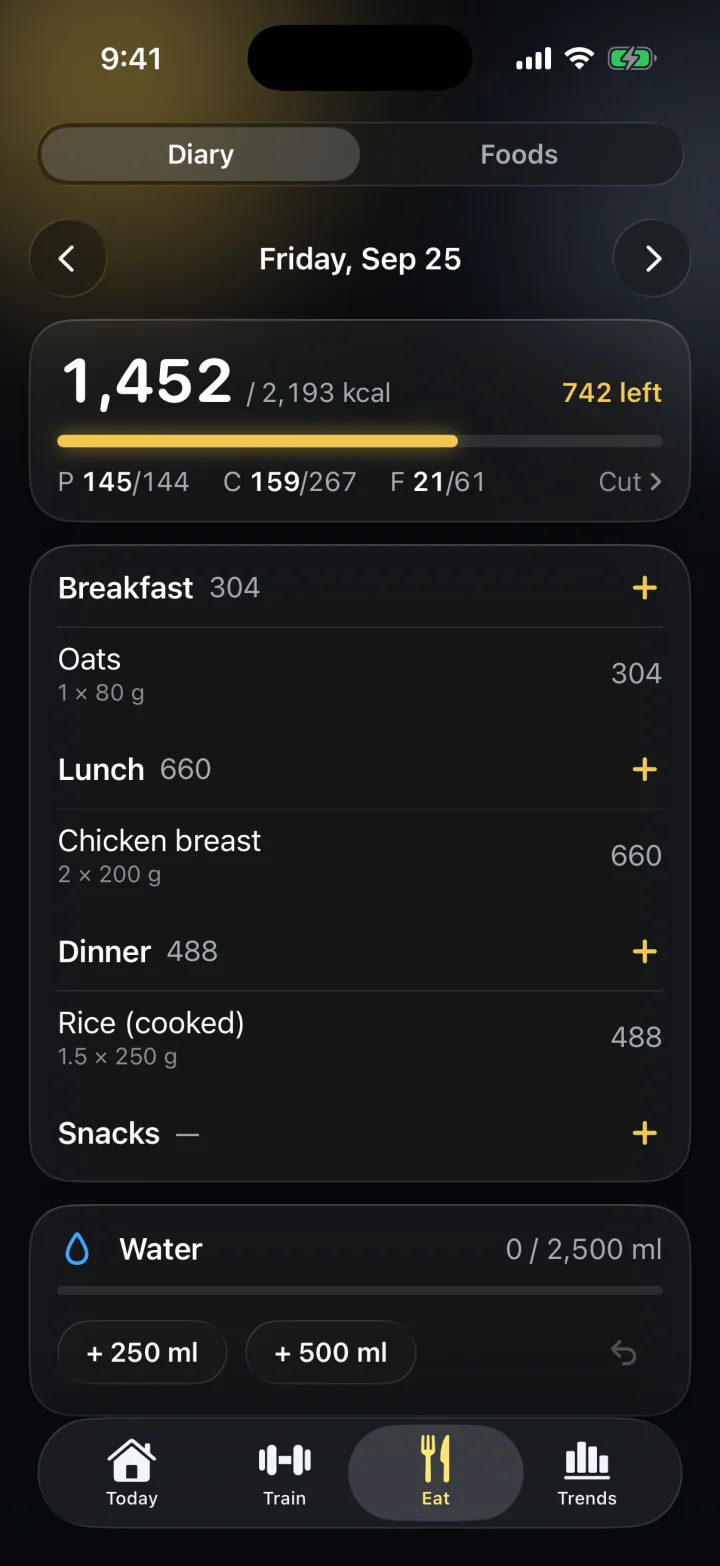
Food is the input the coach reads, so logging it has to be quick enough to actually do. Most of the time it’s a search that answers before you finish typing.

  • 12,067 foods, no signal needed
  • Campus dining and 17 chains
  • Barcode scanning

Apple Watch

Log the set without taking the phone out.

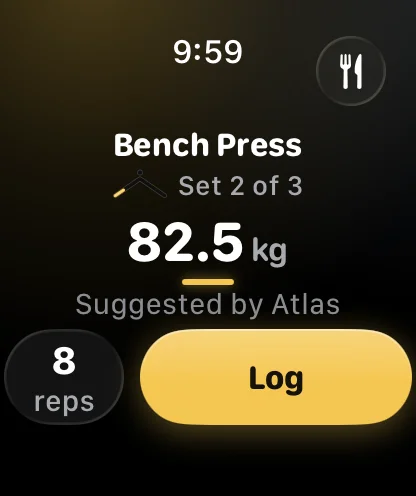
Turn the Digital Crown to set the weight, tap Log. Green when it reached the phone, a different colour when it’s queued.

Lock Screen

The planned set, on the Lock Screen.

The same session runs as a Live Activity. Hit it logs it without opening Atlas, and the phone is up to date.

Widgets: Next Set, Calories, Best Lift, Consistency, and Scan Food.

Look

Liquid in the dark. Frost in the light.

Atlas lights itself with your colour. Five accents, each tuned to pass contrast in both modes. Try one.

Gold
The number at the bar, adjusted for what you ate.

Atlas is a training and food log for iPhone and Apple Watch that reads itself back to you. It names your next set, weighs it against what you ate, and says one thing about it.

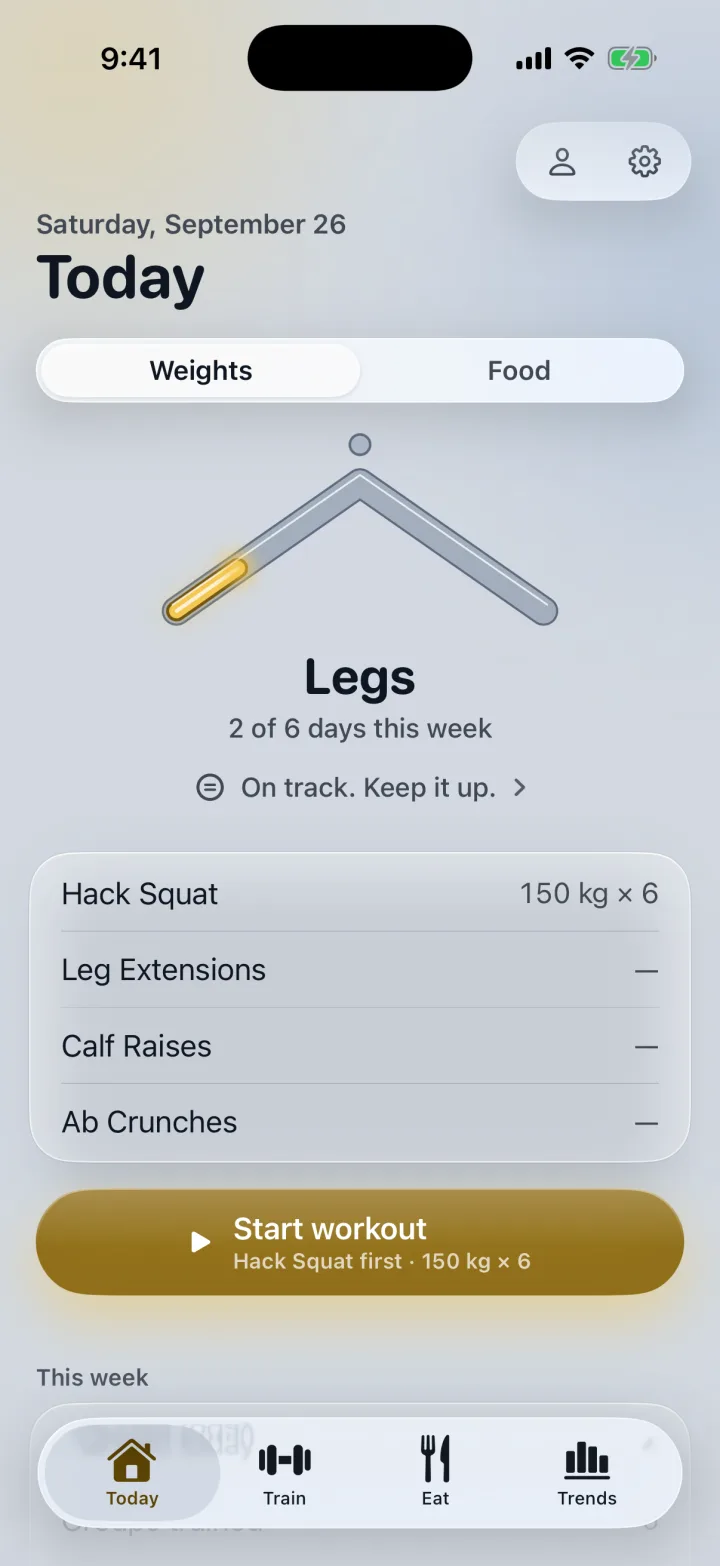
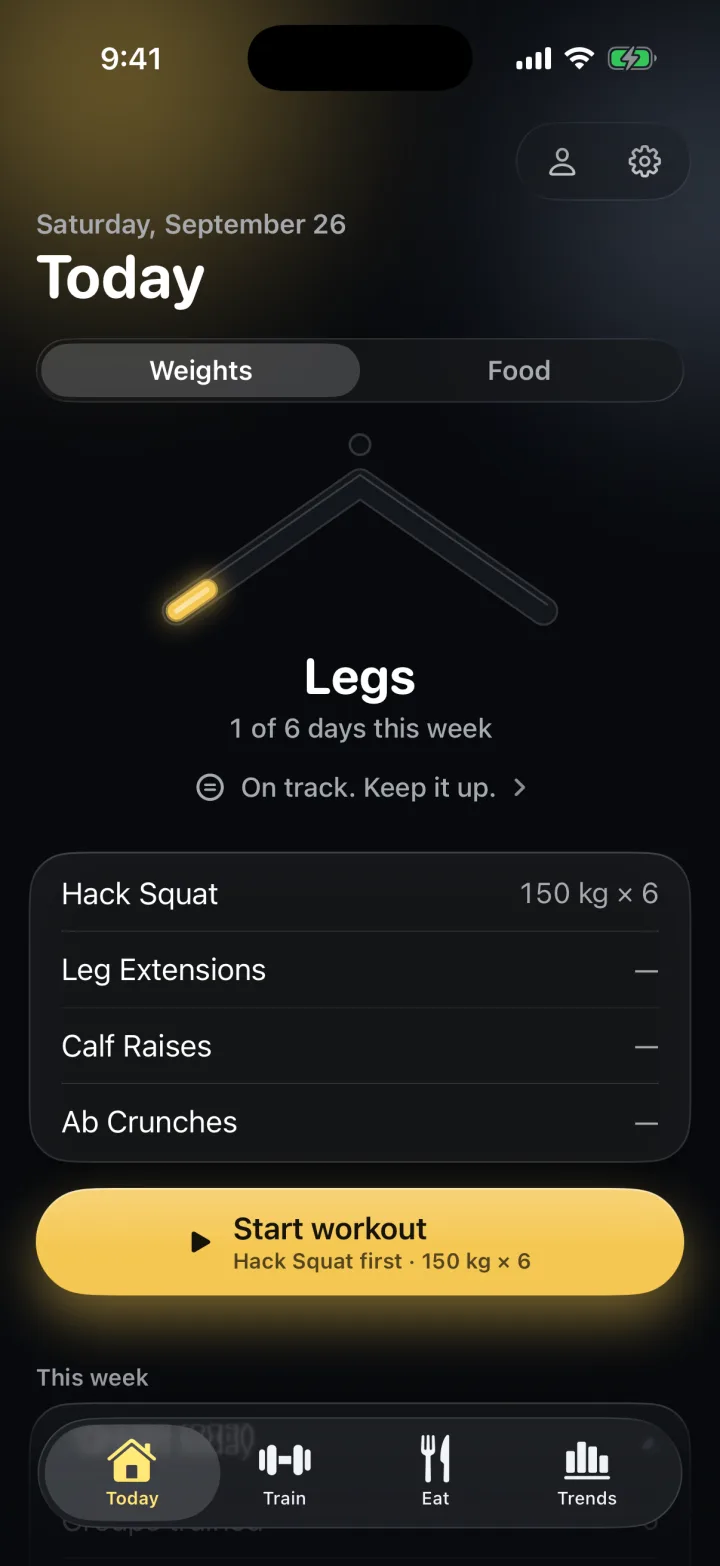
Today in Weights mode: the Peak, Legs, the coach line, the day's four exercises and Start workout.
The guided set on Hack Squat: 150 kg, times 7 reps, and the reason in one line.

One number at the rack.

Mid-set you glance, you don’t read. The weight is the biggest thing on the screen, the reps sit under it, the reason is one line. Answer with Hit it, Log actual or Skip it, and the next set is already named.

Trends: the coach verdict and a lift's estimated one-rep max over recent weeks.

It reads your food and your lifts as one thing.

The coach weighs calorie balance, weight change, strength trend and how consistently you log, then says one thing. When a lift stalls, it tells you whether the problem is the program or the plate.

The food diary: calories against target, protein, carbs and fat, meals by the entry.

The diary already knows the menu.

Food is the input the coach reads, so logging it has to be quick enough to actually do. Most of the time it’s a search that answers before you finish typing.

Apple Watch: Bench Press, set 2 of 3, 82.5 kg suggested by Atlas, 8 reps, Log.

Log the set without taking the phone out.

Turn the Digital Crown to set the weight, tap Log. The same session runs as a Live Activity on the Lock Screen, and Hit it logs it without opening Atlas.

The Lock Screen Live Activity: Hack Squat, 150 kg times 7, with a green Hit it button.
Today in the light Frost appearance.

Liquid in the dark. Frost in the light.

Atlas lights itself with your colour. Five accents, each tuned to pass contrast in both modes.

Your log is yours, on every device.

  • One account, readable only by youSign in and your workouts, food and weight are backed up and the same on every device you use. Delete the account and they go with it.
  • Food lookups go out aloneA search term, a scanned barcode or a chain menu goes to the food database that answers it. Nothing identifying you goes with it.
  • No ads, no analytics, no trackersThere is no pipe for any of it to travel down.
  • Apple Health is optionalUsed on the device, never uploaded, not even to your account.

The full privacy policy, written from the source.

Ask for a TestFlight invite.

TestFlight opens to a small group of lifters first, on iPhone with the Watch app alongside. The App Store comes later. Ask, and you’re on the list.

TestFlight sends the invite here, so it has to be the address on your Apple ID.

Goes straight to Mark. No list, no sequence, no newsletter.